Today's estimate, on your wrist.
The MetricBridge watch app and complications show what the Today card on your iPhone shows: how this morning compares with your own usual, your 7-night HRV status, any recent sleep shortfall, and a change worth a look when there is one. Your iPhone calculates it from Apple Health. The watch only shows it.
Available in MetricBridge 1.20. The watch app and its four complication styles come with the iPhone app, released on 28 October 2026. They need an Apple Watch with watchOS 10 or later, paired with the iPhone that has MetricBridge. If it does not appear on the watch by itself, open the Watch app on your iPhone and install MetricBridge from Available Apps.
The watch app
One screen you scroll with the Digital Crown, shown here in full. The headline is where today sits against your usual; the number beside it is labelled as an estimate, with its range.
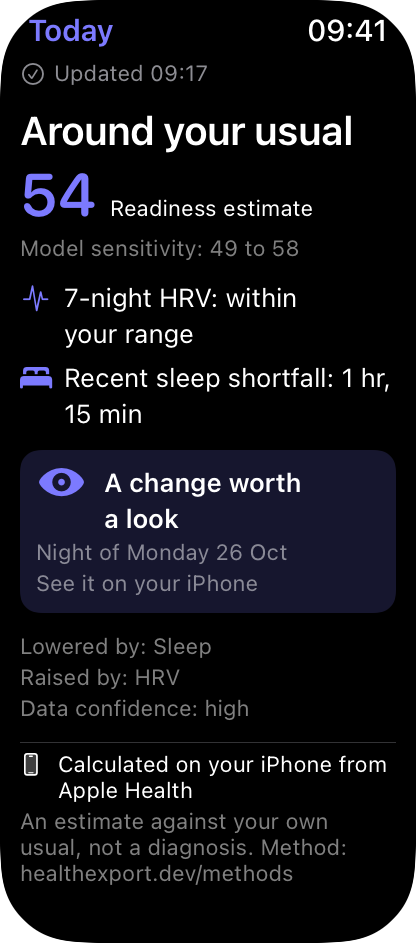
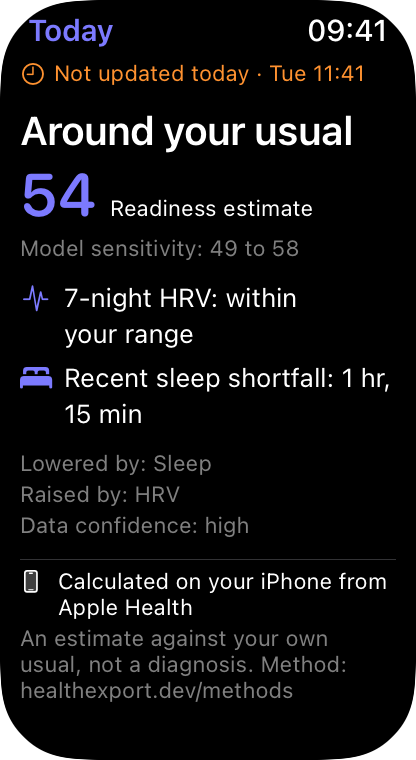
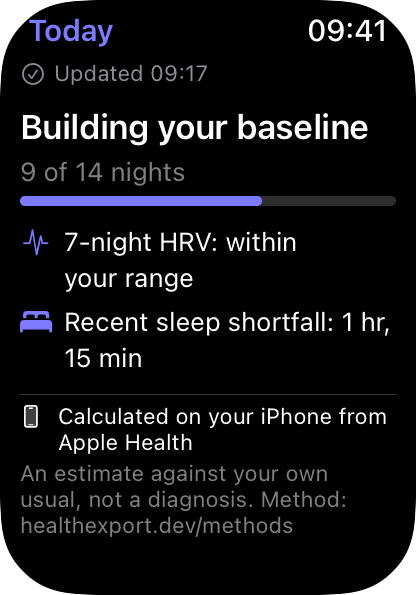
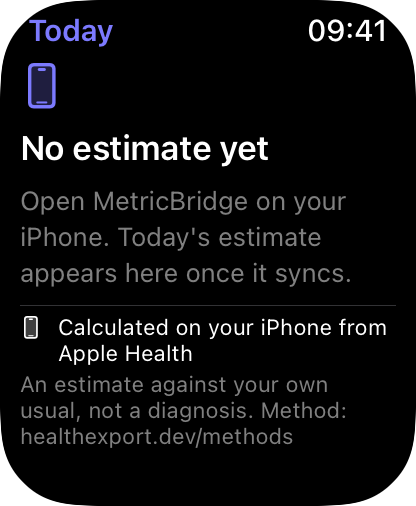
Every screen ends with where the numbers came from: calculated on your iPhone from Apple Health, an estimate against your own usual, not a diagnosis, and a link to the method.
Complications
Four watch face styles, all reading the same estimate. Put one on any face that has a slot for it; it also appears in the Smart Stack, where it moves up in the morning and when there is a change worth a look.
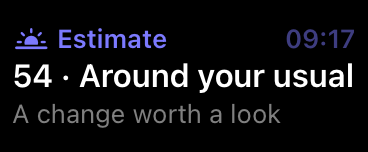
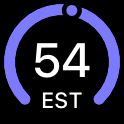
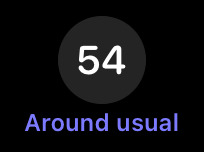

The images on this page are the watch app's own screens, drawn at Apple Watch size from sample data. They are not photos of a watch face: on your watch, the face's colour tint applies and the corner label curves along the edge.
How it gets to your watch
- One engine. The estimate, HRV status, sleep shortfall and changes are calculated once, on your iPhone, against your own last 60 days. The watch gets the result, so the wrist and the phone never disagree.
- Straight from your iPhone. The phone hands a small summary to your paired watch through Apple's WatchConnectivity whenever the numbers change, and again when you open the watch app. No MetricBridge server, no account.
- No Health permission on the watch. The watch app reads no Apple Health data of its own. It stores the last summary it received, and that is all.
- Honest about age. Each screen and complication knows when its estimate was made. Today's reads as current; anything older says "Not updated today"; after 36 hours the watch asks you to open MetricBridge on your iPhone.
Private on the watch face
The estimate and the HRV and sleep lines are marked as private data. If you set your watch to hide complication data while your wrist is down (Settings, Display & Brightness, Always On, Show Complication Data), they are hidden on the face until you raise your wrist.
What it deliberately doesn't do
- No live "battery" gauge. There is no published model for an energy battery, and last night's physiology already reflects yesterday's activity, so adding it would count it twice. The methods page lists what was left out and why.
- No alerts. A change worth a look is a look back at recent nights, shown when you glance. Nothing buzzes your wrist.
- No diagnosis. It compares you with your own usual. It does not detect conditions or call a value abnormal.
- No workout recording. Your Apple Watch already records workouts and sleep to Apple Health, which is what the estimate reads.
Get MetricBridge on iPhone
The watch app comes with the iPhone app at no extra cost. One $24.99 purchase for everything after the free trial. No subscription.